Disabled delegate
A disabled AD account still holds Full Access or Send As on a mailbox.
Define who should have access, compare it with what Exchange actually has, and detect permission drift before it becomes an admin problem. Your AD security groups stay the source of truth; Tenvero reconciles the explicit Exchange permissions — including the Full Access that Outlook AutoMapping needs.
Already have shared mailbox permissions configured? Tenvero can adopt your existing delegations so you can test it without rebuilding your setup.
No credit card required.
Use the 30-day trial to adopt one existing shared mailbox, validate the workflow, and expand only when you're comfortable.
Direct user permissions work, but become difficult to audit and maintain across many shared mailboxes. Group-based administration is cleaner, but Outlook AutoMapping depends on explicit user assignment. Tenvero connects those two models.
Select the shared mailbox Tenvero should manage.
Keep your existing on-prem AD security group as the source of truth for who should have access.
Tenvero compares group membership with Exchange Online and maintains explicit user permissions.
When users are added or removed from the group, Tenvero reconciles additions and managed removals.
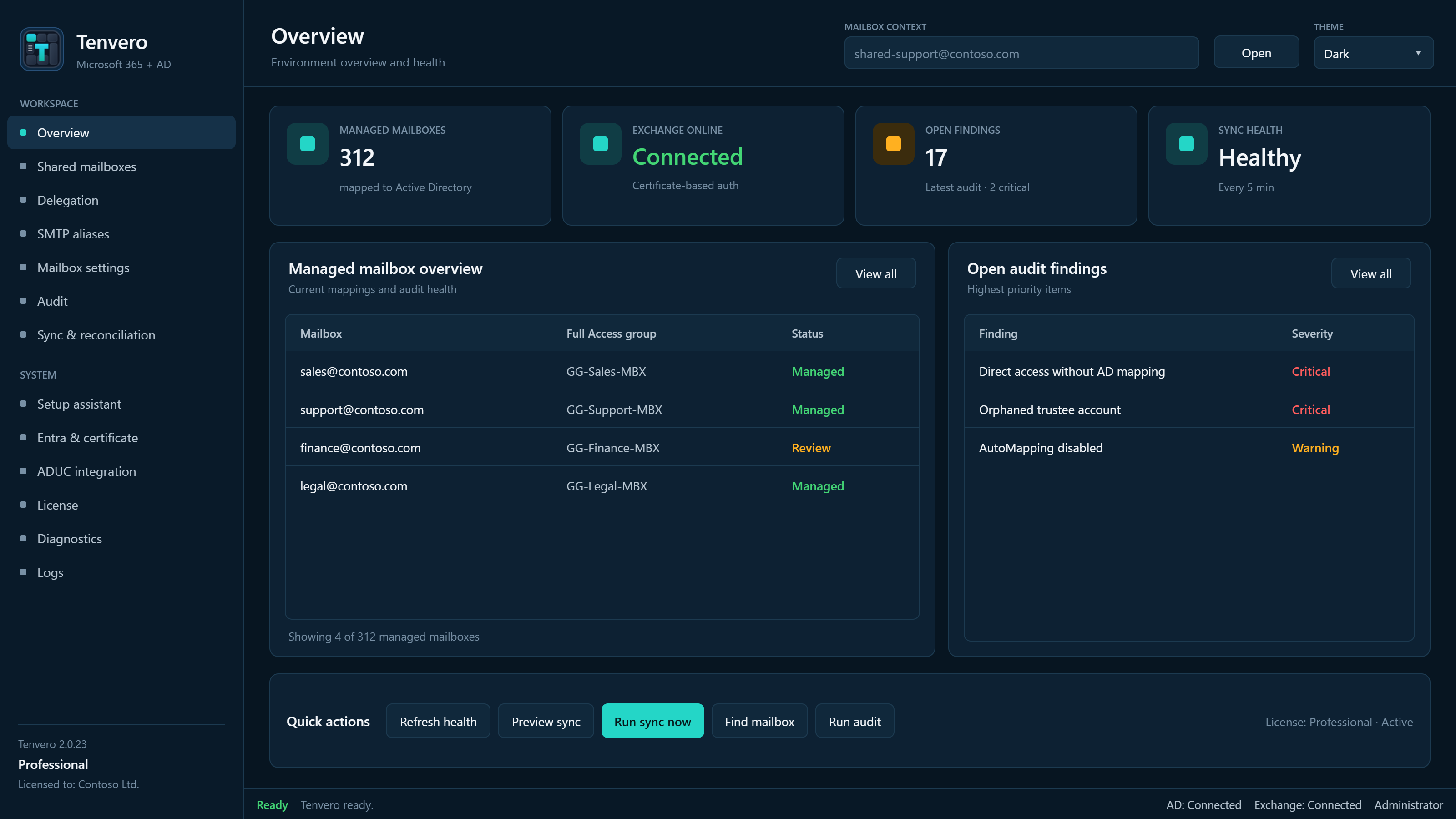
Connect the tenant, pick a shared mailbox, compare the intended group delegation with actual Exchange permissions, spot unexpected direct access and see the reconciliation result. Why install Tenvero instead of running another PowerShell command? Because it keeps showing and reconciling the desired state instead of an engineer rediscovering the problem by hand.
Review group membership and remove stale managed access in the next reconciliation run.
Confirm ownership state and clean up unresolved delegates that cannot map back to active directory users.
Fix or replace the mapped source-of-truth group before running managed permission changes.
Keep deliberate exceptions unmanaged, and adopt only the entries you want Tenvero to own.
One console, one source of truth.
Tenvero reconciles both additions and removals. If a user is removed from the mapped on-prem AD group, Tenvero can remove the managed Exchange delegation as part of the next reconciliation.
That helps reduce stale Full Access, Send As and other delegation entries that can otherwise remain behind after role changes or offboarding.
Shared mailbox permissions accumulate over time. Role changes, disabled accounts, manual exceptions and incomplete offboarding can leave delegation behind long after it was intended. Delegation Audit helps surface that drift.
A disabled AD account still holds Full Access or Send As on a mailbox.
A delegate on the mailbox no longer resolves to an Exchange recipient or an AD account.
The group mapped as source of truth is missing, deleted, or no longer security-enabled.
Full Access, Send As or Send on Behalf exists outside the mapped group entirely.
Audit is read-only. Not every finding is automatically remediated — reconciliation only changes Tenvero-owned permissions.
You can absolutely build this workflow in PowerShell. The difficult part is not adding one permission. It is maintaining reconciliation, removals, scheduling, auditing, takeover of existing access and visibility into what changed.
Handle additions and managed removals instead of running an add-only script.
Take over current shared mailbox delegations without rebuilding the mailbox before testing Tenvero.
Identify stale, disabled or invalid delegation entries and permission drift.
Run reconciliation consistently without maintaining your own scheduled-script framework.
See mappings, managed state, audit results and reconciliation outcomes in one place.
Use the security group as the source of truth while maintaining explicit Exchange permissions per user.
Start from the permissions already in Exchange.
Connect the shared mailbox to the intended on-prem AD security group.
Maintain explicit managed permissions as group membership changes.
Find stale, disabled or invalid delegation state.
Microsoft begins blocking Exchange Web Services in Exchange Online on October 1, 2026, tenant by tenant, with an app allow-list for organizations that still need it during the transition. EWS migration is its own project — Tenvero does not migrate EWS integrations. But a change window is a natural moment to check who really has access to your shared mailboxes.
Audit shared mailbox delegationYou do not need to migrate your whole environment at once. Start with one existing shared mailbox, adopt its current access, and validate the reconciliation workflow before expanding.